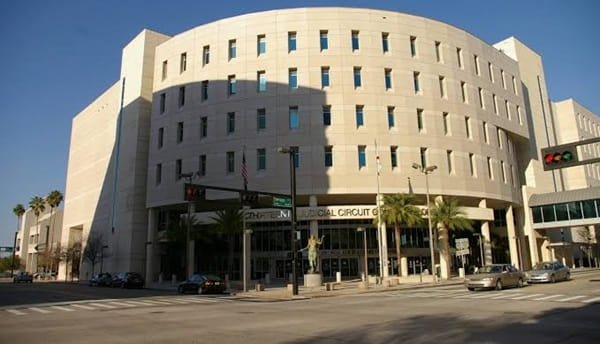
The Pinellas County Clerk of the Circuit Court and Comptroller maintains court records and Official Records for Pinellas County, Florida. Readers use the office to search criminal, traffic, civil, family or probate cases, obtain copies, research recorded deeds or liens, check case activity and find the correct service location. Pinellas provides a public court-record search for case information and selected documents, while Official Records use a separate database. The main office is at the Clearwater Courthouse, with additional service locations elsewhere in the county. This guide covers the current contacts, search steps and record-copy options.
Pinellas County Clerk of Court Quick Overview
| Detail | Information |
| Office | Pinellas County Clerk of the Circuit Court and Comptroller |
| Main address | 315 Court Street, Clearwater, FL 33756 |
| Main phone | 727-464-7000 |
| Hours | Mon-Fri, 8:30 a.m.-4:30 p.m., excluding holidays |
| Online court search | Public Records – Court Documents and Case Information |
| Official Records | Separate Pinellas Official Records Search |
| Official website | mypinellasclerk.gov |
Pinellas County Clerk of Court Address and Phone Number
The Pinellas County Clerk’s main address is 315 Court Street, Clearwater, FL 33756. The Customer Information Center number is 727-464-7000. The Clerk publishes general operating hours of Monday through Friday from 8:30 a.m. to 4:30 p.m., excluding holidays.
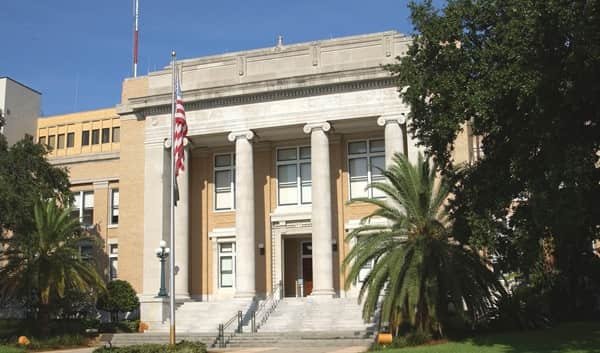
At the Clearwater Courthouse, Civil Court Records is in Room 170, Probate Court Records in Room 106, Official Records in Room 163 and Recording Services in Room 150. Criminal court customer service is handled at the Pinellas County Justice Center.
Pinellas County Clerk of Courts Locations
| Location | Address | Phone | Hours |
| Clearwater Courthouse | 315 Court Street, Clearwater, FL 33756 | 727-464-7000 | M-F 8:30 a.m.-4:30 p.m. |
| St. Petersburg Branch Office | 545 1st Avenue North, St. Petersburg, FL 33701 | 727-464-7000 | M-F 8:30 a.m.-4:30 p.m. |
| North County Branch Office | 29582 U.S. Highway 19 North, Clearwater, FL 33761 | 727-464-7000 | M-F 8:30 a.m.-4:30 p.m. |
| Pinellas County Justice Center | 14250 49th Street North, Clearwater, FL 33762 | 727-464-7000 | M-F 8:30 a.m.-4:30 p.m. |
The main courthouse, branch offices and Justice Center do not handle exactly the same work. Civil, probate, recording and criminal services may be routed to different counters or buildings.
How to Search Pinellas County Court Records and Cases
Pinellas provides a Public Records court search for criminal, traffic, civil, family and probate case information and selected court documents. The online system is the best first step before calling or visiting a Clerk office.
- Go to the Pinellas Clerk website and open the Public Records court search.
- Enter the case number, party information or other search details available for the case.
- Open the matching case and review the docket, balances or document links displayed for public access.
- If the document is not available online or requires redaction, contact the relevant Clerk division for assistance.
A public case entry does not guarantee that every document image is available. Some documents must be redacted before release, while sealed, confidential and other protected records have restricted access under Florida law.
How to Request Copies of Court Records
Pinellas lists $1 per page for many Clerk-produced court or Official Records copies, $2 for certification and $2 for each year of a records search. If a record is unavailable online, contact 727-464-7000 or the appropriate court-record office with the case number, party name and document details. Confirm the division, fee and mailing instructions before sending a request.
| Method | Useful when |
| Online | The case or selected public document is already available through the Pinellas Public Records search |
| In person | You need a Clerk-produced copy, certification, restricted-access assistance or help finding an older file |
| You cannot visit and the relevant Clerk division confirms the record details, fee and mailing instructions |
Other Services Available Through the Clerk
The Pinellas Clerk handles Civil & Property, Criminal & Juvenile, Family, Probate & Mental Health, Recording & Tax Deeds, Traffic/Parking/Ordinance, Finance & Comptroller and Inspector General functions. The office also provides marriage, passport and self-help services at selected locations and supports online payments and public-record searches.
Court Records vs. Official Records
Court records are tied to criminal, traffic, civil, family and probate cases. Official Records are recorded instruments such as deeds, mortgages, liens, plats, certificates of title, marriage licenses and judgments. Pinellas maintains a separate Official Records Search with options including party name, instrument number, document type, record date, book/page, case number and legal description.
Frequently Asked Questions
Q. Why is a Pinellas court document missing even though the case appears online?
The image may not be electronically available, may still require redaction, or may be restricted by law or court rule. Contact the relevant Clerk division if the case is visible but the document is not.
Q. How can I verify a suspicious message claiming I owe a court payment?
Do not rely on an unsolicited payment link. Check the official Pinellas case search or call the Clerk at 727-464-7000 to verify the case and amount.
Q. Should I search a deed under court records?
No. Use the separate Pinellas Official Records Search for deeds, mortgages, liens and similar recorded instruments.
Q. Do all Pinellas Clerk offices provide the same services?
No. Civil, probate, criminal, traffic and recording services can be assigned to different offices or counters. Verify the location before visiting.
Q. What details should I have before requesting a copy?
Use the case number when possible, plus the full party name, document description and approximate filing date. These details help staff locate the correct record and quote the applicable fee.