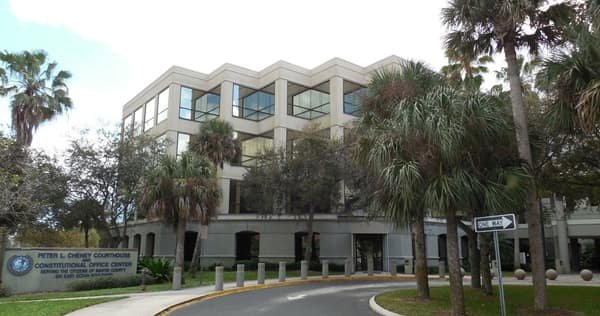
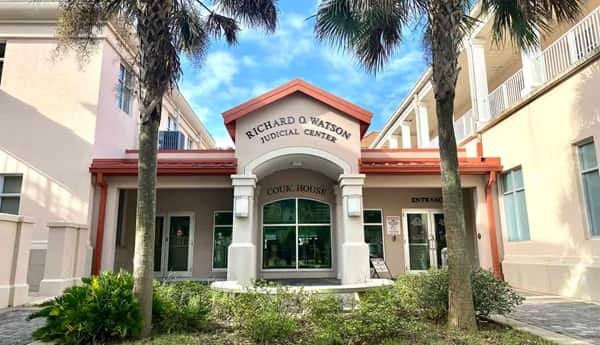
The St. Johns County Clerk of the Circuit Court and County Comptroller keeps court records and Official Records for St. Johns County, Florida. The main office is at the Richard O. Watson Judicial Center in St. Augustine. Readers use the Clerk to check civil or criminal cases, review family or traffic matters, obtain certified records, research deeds and mortgages, or request older files that are not online. Many modern court records can be searched in real time from the Clerk’s website. Older archival files may need a public-record request or an on-site search. This guide explains the current address, online search process, copy fees, branch services and the difference between court records and recorded property documents.
St. Johns County Clerk of Court Quick Overview
| Detail | Information |
| Office | St. Johns County Clerk of the Circuit Court & County Comptroller |
| Main office | 4010 Lewis Speedway, St. Augustine, FL 32084 |
| Main phone | 904-819-3600 |
| Main hours | Monday-Friday, 8:00 a.m.-5:00 p.m. |
| Court records | Real-time online Court Records Search |
| Official records | Separate Official Records search |
| Public-record copies | $1 per page for most Clerk public records |
| Certification | $2 per complete document |
| Official website | stjohnsclerk.com |
St. Johns County Clerk of Court Address and Phone Number
The Richard O. Watson Judicial Center is at 4010 Lewis Speedway, St. Augustine, FL 32084. The main Clerk phone number is 904-819-3600. Office and Customer Care hours are Monday through Friday from 8:00 a.m. to 5:00 p.m.
The Clerk uses one main customer-service number for civil, criminal, family, traffic, probate, recording and records questions. Department email contacts are also available. For a records request, the Clerk recommends starting with the online court or Official Records search before asking staff to research the file.
St. Johns County Clerk of Courts Locations
| Location | Address | Main services / hours |
| Richard O. Watson Judicial Center | 4010 Lewis Speedway, St. Augustine, FL 32084 | Main court and Clerk services; M-F 8:00 a.m.-5:00 p.m. |
| Public Service Center | 4040 Lewis Speedway, St. Augustine, FL 32084 | Recording, passports and marriage services; M-F 8:00 a.m.-5:00 p.m. |
| Julington Creek Annex | 725 Flora Branch Blvd., St. Johns, FL 32259 | Recording, passports, marriage and notary; M-F 9:00 a.m.-4:00 p.m., appointment required |
| Ponte Vedra Beach Annex | 151 Sawgrass Corners Dr., Ponte Vedra Beach, FL 32082 | Selected recording, passport and marriage services; Mon/Wed 9:00 a.m.-4:00 p.m., appointment required |
How to Search St. Johns County Court Records and Cases
The Clerk’s Online Research page is the best place to begin. Court Records and Official Records are separate searches. Court searches are updated in real time. Most publicly disclosable modern civil and criminal records are available online. The Clerk generally describes modern-era court records as files from the 1990s to the present. Older archival records can date back to 1821, but most of those files are not available through ordinary internet access.
- Open stjohnsclerk.com and choose Online Research, then select Court Records.
- Search with the case number when you have it. If you only know a party name, use the most complete spelling and check possible name variations.
- Open the correct case and review the docket and available document images. Publicly viewable documents can be printed without charge.
- If the file is archival, restricted or missing online, submit a public-record request or use a public-access terminal at the Clerk’s office.
A missing online image does not mean the document is missing from the court file. Some records are confidential or sealed. Older archival civil and criminal files are also not generally available online. The Clerk says those records can be accessed through on-site public terminals or by public-record request. Online searches are real time, so a current public filing should appear without waiting for a separate overnight database update.
How to Request Copies of Court Records
If you need a copy directly from the Clerk, provide enough detail to identify the record. Useful information includes:
- Case number, if known.
- Full names of the parties and date of birth when relevant.
- Exact document or filing needed.
- Whether you need a plain copy, certified copy or exemplified/authenticated copy.
| Request method | Best used for |
| Online | Free public document viewing and eligible E-Certify purchases |
| Public-record portal / email | Archival or non-online files and requests that need staff research |
| In person / mail | Traditional certified copies, inspection and records not available electronically |
The Clerk lists most public-record photocopies, including court records, at $1 per page. Certification is $2 for the complete document. A name search costs $2 per name for each year searched when no case number is provided. E-Certify is also available for eligible records. An electronically certified document carries the normal copy and certification charges plus the service fee charged through the certification system. Traditional paper certified copies can be mailed or picked up in person.
Other Services Available Through the Clerk
The Clerk handles civil, criminal, family, traffic, probate, juvenile and other court matters. Customer Care also assists with small claims, evictions, divorce, name changes, child custody, adoption-related filings, traffic requests and payment plans. The Recording Division manages Official Records, marriage licenses and passport services. The office also handles tax deeds, county commission records and county financial duties. The Julington Creek and Ponte Vedra locations are useful for recording, marriage and passport work, but they are not substitutes for every courthouse division.
Court Records vs. Property Records
Court Records and Official Records serve different purposes. Court Records contain pleadings, orders, judgments and docket activity from judicial cases. Official Records contain recorded instruments such as deeds, mortgages, marriage licenses, liens and other property-related documents. The St. Johns Official Records system can be searched by name, document type, case number, book and page, instrument number, parcel ID, record date and legal description. For a lawsuit or criminal case, use Court Records. For a deed or mortgage, use Official Records.
Frequently Asked Questions
Q. How far back do St. Johns County court records go?
The Clerk divides records into modern-era files, generally from the 1990s to the present, and archival files dating back as far as 1821. Most archival civil and criminal files are not available online.
Q. Are St. Johns County online court searches current?
Yes. The Clerk states that its online searches are real time.
Q. Can I print a court document online for free?
Yes, when the document is publicly viewable online. A free printout is an uncertified copy. Certification requires a paid certified-copy service.
Q. What if I need an older case that is not on the website?
Use the Clerk’s public-record request portal or visit a public-access terminal. Archival records can be researched through those routes.
Q. Where should I search for a deed or mortgage?
Use the St. Johns County Official Records search. Deeds and mortgages are recorded instruments and are not searched the same way as court cases.